
What's New? - September 2026
We are excited to share the latest updates to the Celayix platform, rolled out in September 2026. These updates are designed to improve functionality, enhance user experience, and ensure smoother workflows. Below, you'll find the details of the newest features and improvements.
Electronic Visit Verification (EVV) Enhancements
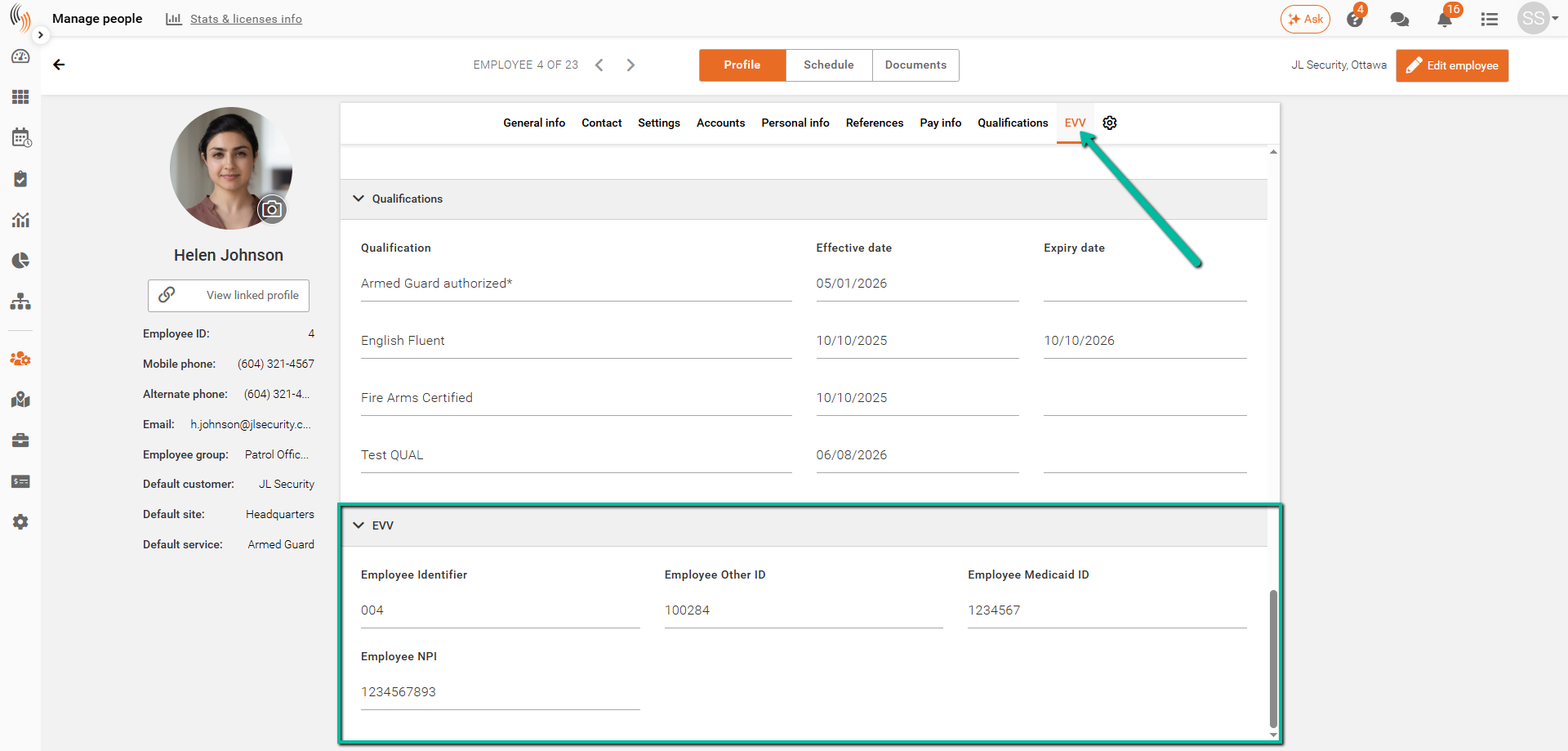
We’ve introduced dedicated Electronic Visit Verification (EVV) fields to make EVV setup and management easier and prevent reliance on generic Reference fields that may be used for other integrations or exports.
When EVV is enabled, dedicated EVV tabs will be available in the following areas:
- Employees – Enter employee-specific information required for EVV.
- Clients – Enter recipient and program information required for EVV.
- Services – Enter the applicable service information and EVV codes.
Required fields are clearly marked with an asterisk (*) to help ensure the necessary information is completed.
If your organization uses EVV and would like to enable this functionality, please contact Celayix Support for assistance with setup and configuration.
Celayix MCP Access Management
By default, MCP functionality is available to all admin users. Users with Full Admin access will continue to have MCP access at all times.
For users assigned to a Manager access group, MCP access can be enabled or restricted based on your organization’s needs.
To manage MCP access, go to:
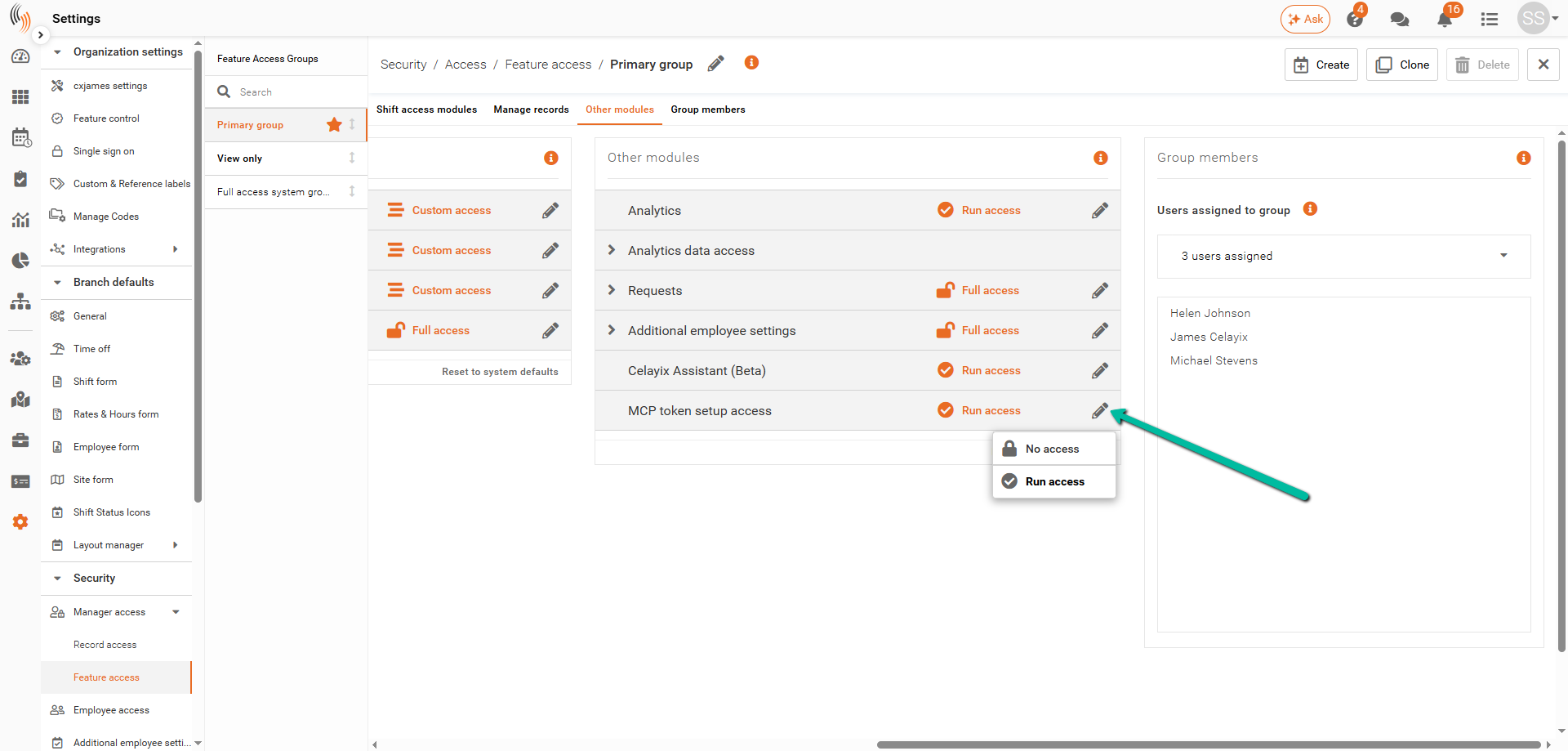
Settings → Security → Manager Access → Feature Access
Select the appropriate Feature Access Group, then open the Other Modules tab. Locate MCP Token Setup Access and click the Edit icon.
From here, select:
- Run Access – Allows users in the group to access MCP Token Setup and create MCP tokens.
- No Access – Prevents users in the group from accessing MCP Token Setup.
Any users assigned to that Feature Access Group will follow the selected MCP access setting.
Bug Fixes and Improvements
We’ve made important updates to improve the user experience. Below are the notable bug fixes applied in September 2026.
Updated Login Page Graphics
We’ve refreshed the Celayix login page with updated graphics highlighting Autonomous Workflows, making it easier to discover our latest workflow and automation capabilities.