Configure Self-Scheduling Picked Up Shift Notifications
When an employee picks up a shift through Self-Scheduling, Schedule Xpress can automatically send email notifications to selected recipients. This helps managers and supervisors stay informed when open shifts are filled without having to continuously monitor the schedule.
For organizations with a high volume of Self-Scheduling activity, use this feature with caution. Each accepted shift generates a separate email notification, so enabling it in environments where large numbers of shifts are picked up each day may result in a significant number of emails. This feature is best suited to organizations with a moderate number of Self-Scheduling shifts where individual notifications remain useful.
Access Self-Scheduling Notification Settings
To configure these notifications, navigate to:
Settings → Branch Features → Notifications → Self-Scheduling
Enable Picked Up Shift Notifications
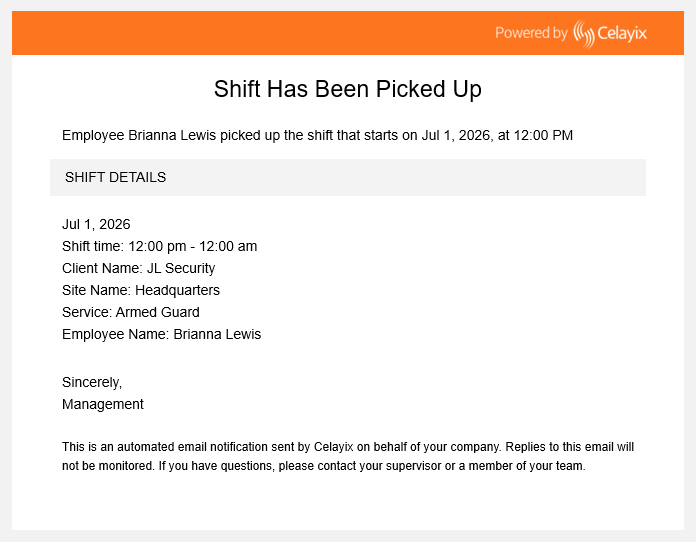
Set Self-Scheduling Picked Up Shift Notification to Yes.
Once enabled, an email notification is sent whenever an employee successfully picks up a self-scheduled shift.
Choose Who Receives Notifications
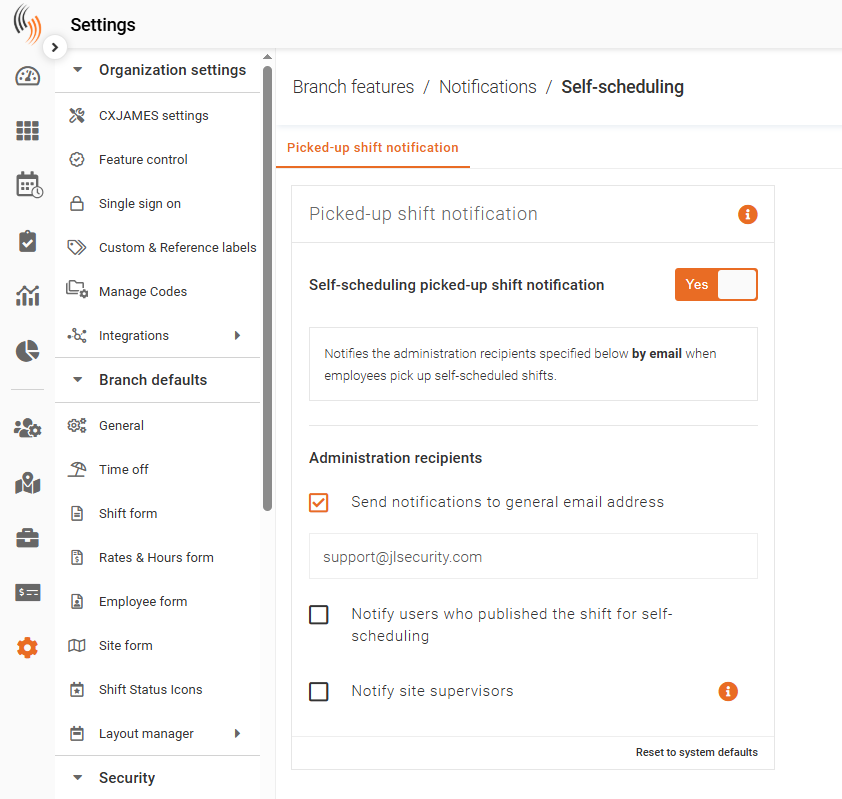
You can send notifications to one or more recipient groups.
Send Notifications to General Email Address
Enable Send Notifications to General Email Address to send notifications to the email address entered in the accompanying text box.
This option is useful when multiple administrators monitor a shared mailbox.
Notify Users Who Published the Shift for Self-Scheduling
Enable Notify Users Who Published the Shift for Self-Scheduling to notify the user who originally made the shift available through Self-Scheduling.
This allows the publisher to immediately know when their shift has been accepted.
Notify Site Supervisors
Enable Notify Site Supervisors to send notifications to the email addresses configured in the site's Site Supervisor Notifications Email field.
This ensures site supervisors are informed whenever a self-scheduled shift at their location is filled.
Tip: You can enable any combination of these notification options. If multiple recipient groups are selected, each group will receive an email when a self-scheduled shift is picked up.
Example Notification
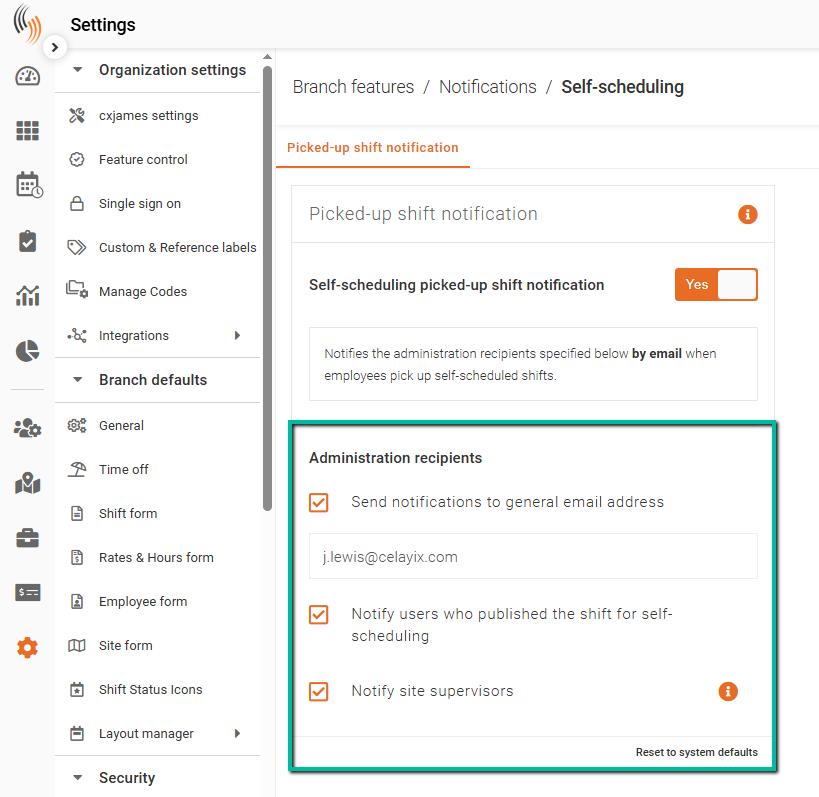
The example below shows the email notification recipients receive after an employee successfully picks up a self-scheduled shift.
The example below shows a Self-Scheduling picked-up shift notification sent to recipients.